2 · First storage and library
Order matters, and the UI enforces it: system storage → pool → library → cartridges → activate.
2.1 Set up system storage (once, ever)
Storage view → Set up system storage. Two choices:
- Data disk(s) — the bulk capacity (checkboxes).
- Dedupe metadata disk — one fast SSD. This choice is permanent: the dedupe device is fixed for the life of the system storage and can only be changed by tearing all storage down.
Selected disks are erased. The block-device table marks the OS disk
(os) and shows size/type per disk — choose by those, not device names.
Type create to confirm.
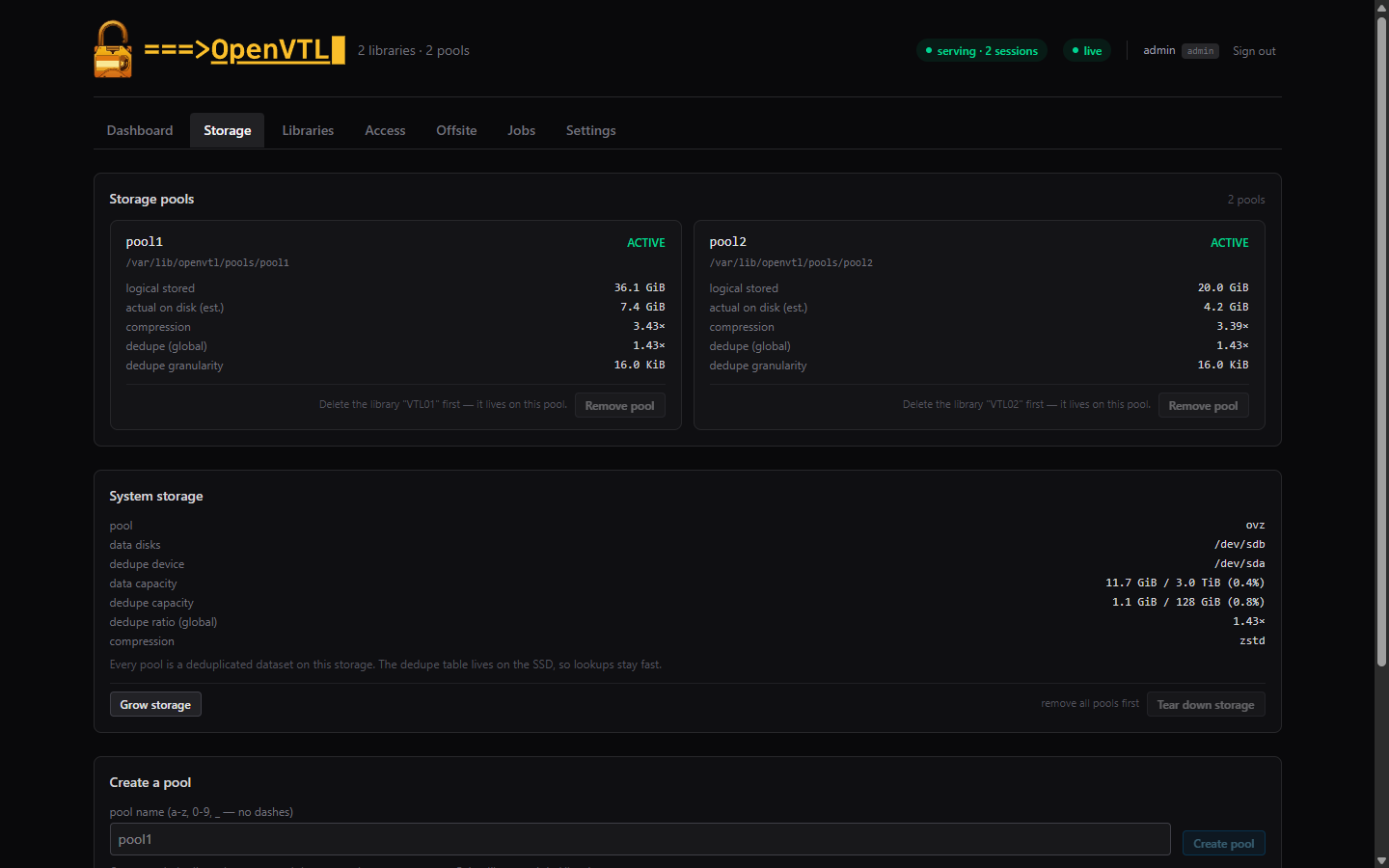
What you get: one zpool (ovz) with zstd compression and global dedupe,
the dedupe table bounded by the SSD, and the ZFS ARC cap scaled from the
box’s RAM automatically.
2.2 Create a pool
Still in Storage → Create a pool. A pool is a deduplicated dataset
on the system storage; each library pairs with exactly one pool. Name it
(lowercase, digits, _) and create — it’s instant.
The pool card shows its dedupe granularity (recordsize), stamped at creation from installed RAM: ≥24 GiB RAM → 16K (finest, catches the most duplicate data across repeat saves), scaling coarser on smaller boxes. Adding RAM later refines new pools only.
2.3 Declare the library
Libraries → New library…:
| Field | Guidance |
|---|---|
| name | Permanent display name (e.g. PROD-VTL). Blank = the serial. |
| library model | TS3100/TS3200 (3573) or TS3500 (3584). Both are field-validated against IBM i; the 3573 is the common choice for a first library. |
| drive model | LTO generation the host should see (the drive list is filtered to what fits the chosen library family). LTO-5 is the validated default. |
| drives / slots / I/E | 1–4 drives; up to 400 storage slots; import/export (MAP) slots. |
| cart label prefix | 3 characters — barcodes mint as <prefix>001L5, <prefix>002L5, … |
| storage pool | The pool from 2.2 (one library per pool). |
Declare stages it; nothing is served until Activate.
2.4 Mint cartridges
Select the library → New cartridges…. Capacity comes from the drive’s
LTO type (no size input); the count is capped at free slots; labels
number themselves. Minting is immediate — no restart. Minted carts carry
their volume label already (“label only” in the slot-grid legend), so on
the IBM i they are ready for ADDTAPCTG/INZTAP straight away.
2.5 Activate — a maintenance window
The amber banner above the library asks you to type apply and confirms
what activation does: restarts the tape daemons and rebuilds the FC
targets, dropping host connections for a minute or two. A live checklist
tracks each step and ends with the operator hand-off:
✓ target fabrics: fc: N port(s), M LUNs identity-verified, ACLs reconciled ✓ READY FOR OPERATOR: vary off/on the host device descriptions; create the new MLB description for the added library
Activation refuses to run while a drive holds a cartridge
(preflight: … unload from the host first) — unload from the host, or
use the drive’s Unload button, then apply again.
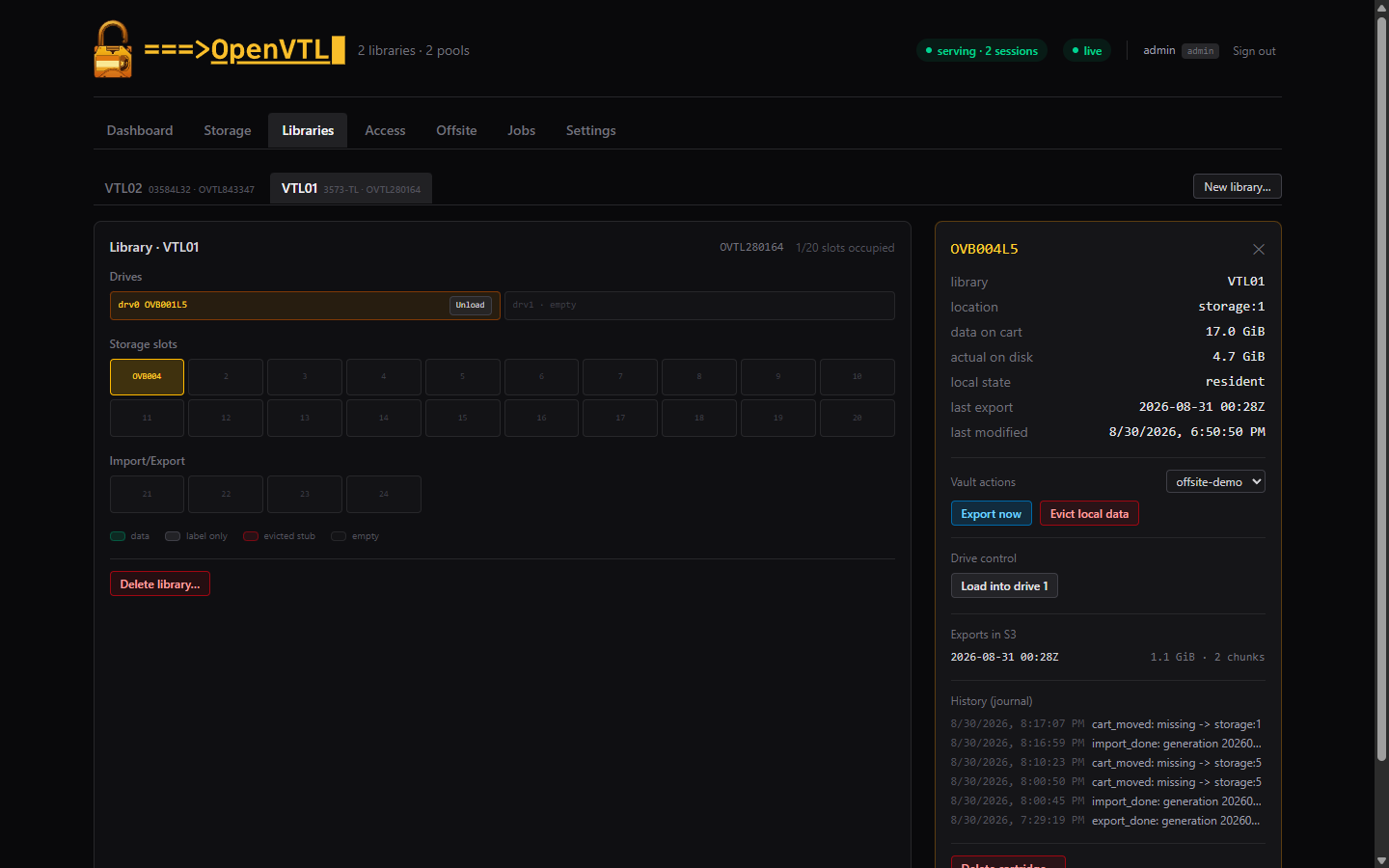
The library grid is live: it mirrors host-driven moves (mounts, ejects) within seconds, and every cartridge has a detail panel with sizes, vault actions, and a per-cart history journal.
Next: put it on the SAN.