3 · Connect the IBM i host
3.1 Register the host’s initiators (appliance side)
Access is hard-deny: an initiator that isn’t registered is refused at the kernel. So the one appliance-side step is registering the IBM i FC adapter’s WWPN(s).
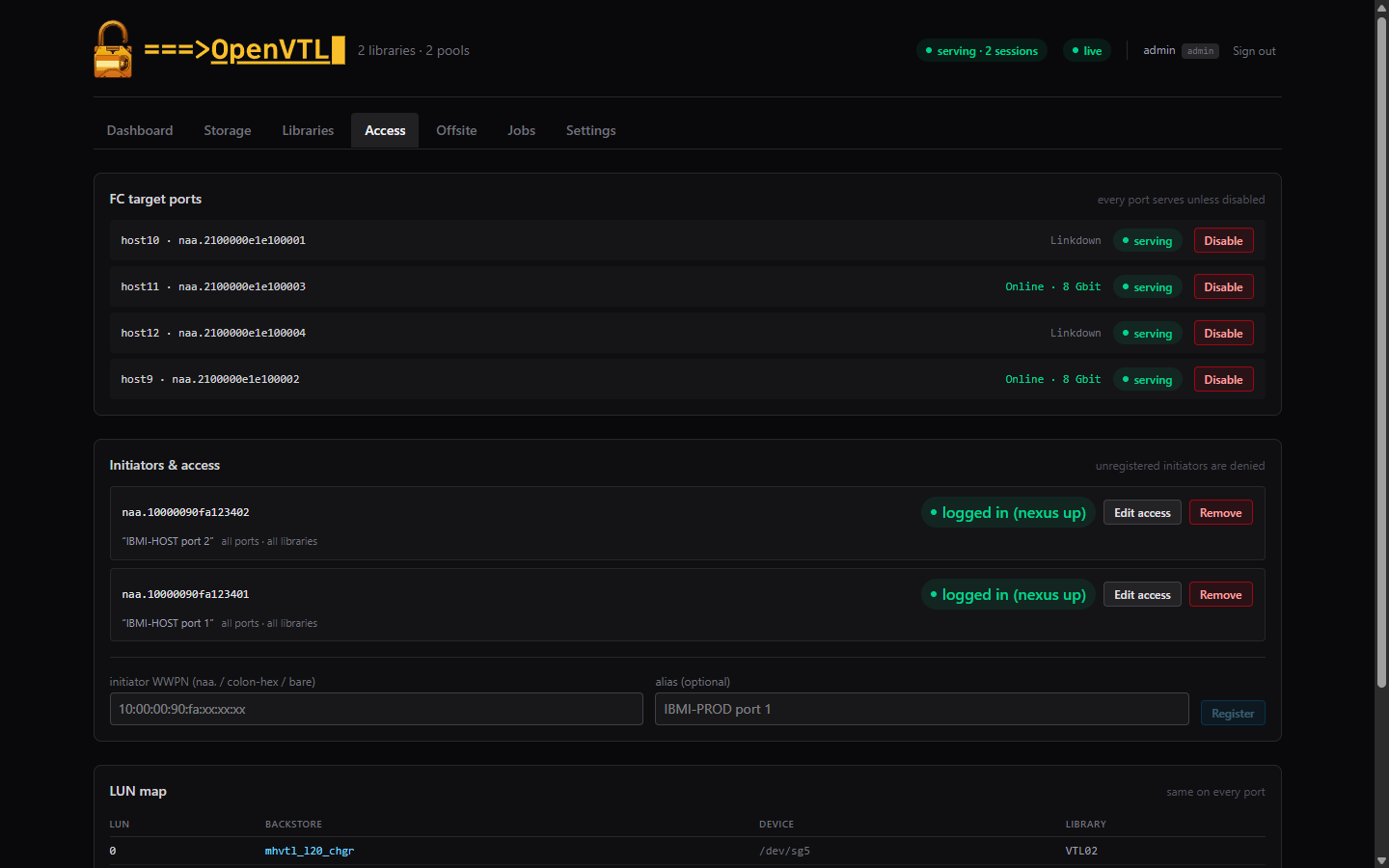
Access view:
- FC target ports — every target-capable port serves the full LUN
table (FC is symmetric; there is no target WWN to pick). Cabled ports
show
Online · 8 Gbit; you can disable ports you don’t want serving. - Initiators & access — enter the host WWPN (any format:
naa., colon-hex, or bare) with an optional alias, and Register. If the host is already logged into the fabric, the card flips to logged in (nexus up) the moment the ACL exists, with no host action needed. - An optional library scope per initiator maps only that library’s LUNs; default is all ports · all libraries.
Where to find the WWPN: on the IBM i, display the FC IOA’s resource
detail (WRKHDWRSC TYPE(*STG) → option 7 on the adapter); or simply zone
the host in and read the refused WWPN from the appliance journal —
unauthorized logins are logged with the initiator’s address.
3.2 Discover and vary on (host side)
With the sessions up, the IBM i sees the library on its next discovery pass:
WRKHDWRSC TYPE(*STG)— a new Tape Library resource appears with type-model 3573-040 (or 3584-040), with its tape units beneath it. One resource per path: if the host reaches two appliance target ports, the same library shows up twice (identical library serial, identical drive serials). That is normal IBM i per-path modeling — use one, leave the other’s drives deallocated.- If QAUTOCFG is on, a
TAPMLBxxdevice description is created for you; otherwiseCRTDEVMLBagainst the new resource. Vary it on (WRKCFGSTS CFGTYPE(*DEV)). WRKMLBSTS— drives show OPERATIONAL; allocate as needed (option 4/5).
3.3 Media: add and initialize
WRKTAPCTG DEV(TAPMLBxx)— the minted barcodes are in the *INSERT category. Option 1 = Add them (default*SHARE400).- Initialize each volume:
INZTAP DEV(TAPMLBxx) VOL(OVB001) NEWVOL(OVB001) CHECK(*NO) WRKTAPCTGnow shows Volume ID = Cartridge ID, status Available.
From here it’s ordinary tape: SAVLIB/RSTLIB/BRMS against TAPMLBxx.
During validation a multi-library save, a spanning (EOV) save across two
volumes, and their restores all behaved like physical media —
the host switches volumes itself when a cart fills, and the appliance’s
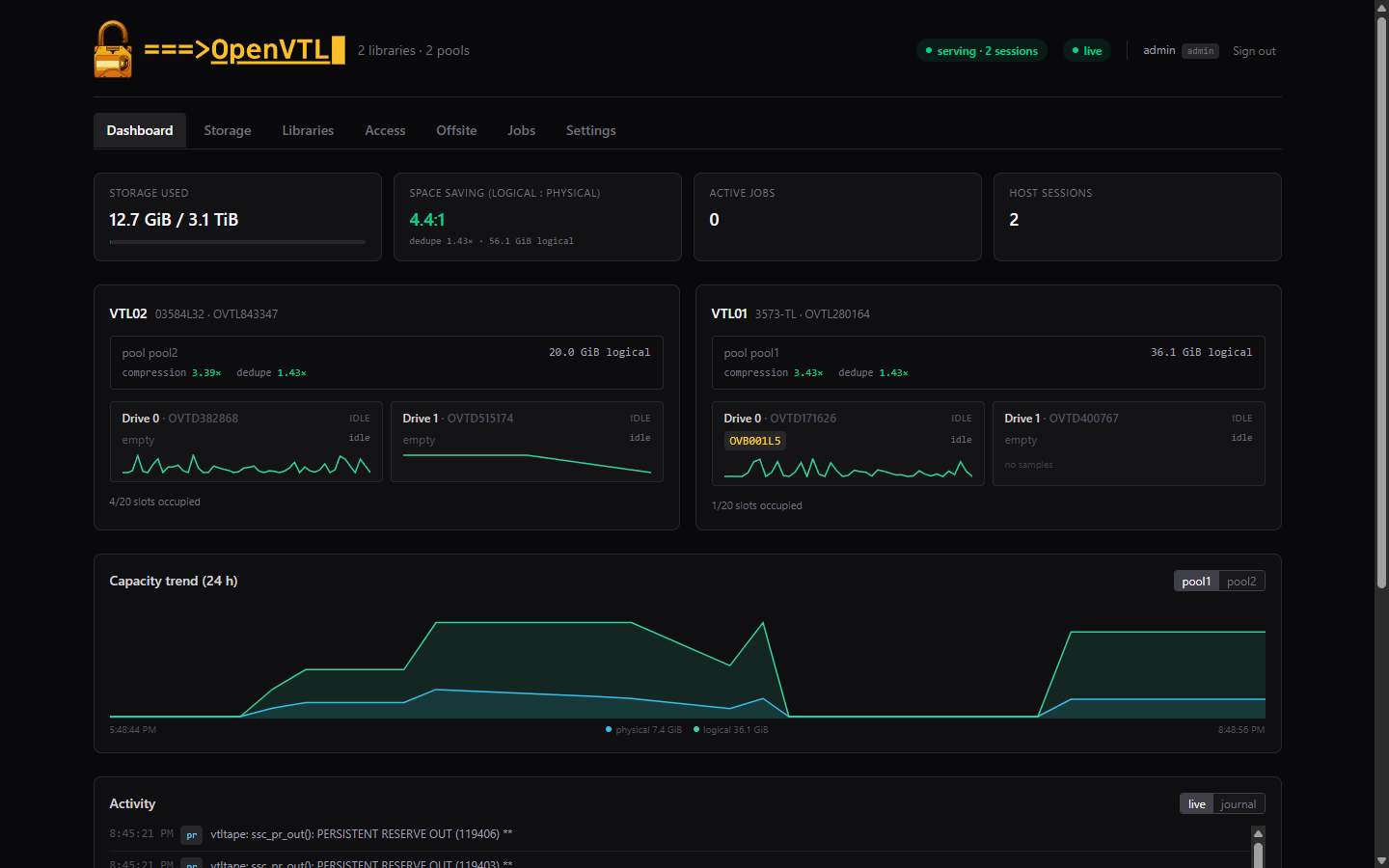
Activity feed shows every move/load/write in real time.
Notes from the field
- The appliance UI’s “serving · N sessions” badge equals the number of host FC logins — the quickest cross-check that both paths are up.
- A cartridge’s per-cart History journal can miss a mount that lasts only a second or two (the changer is polled); the Dashboard Activity feed is authoritative — it records every load, filemark, and unload.
- After any appliance maintenance action that drops sessions (activate, data-plane restart, reboot), vary the tape devices off/on — the library identity is unchanged, so no re-enrollment is ever needed.